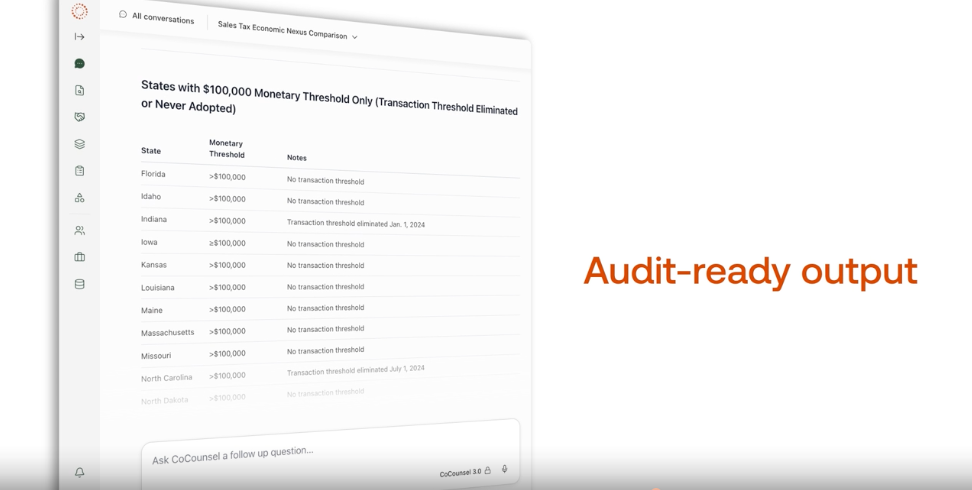
AI can automate parts of audit workpaper preparation by helping auditors gather and analyze engagement data, identify relevant information, perform defined audit tasks, and turn that work into structured draft documentation for review.
Highlights
- AI automates the assembly work around audit workpapers, while auditors keep the professional judgment.
- Connected engagement data, citations, and firm templates help AI-assisted drafts tie back to the actual audit.
- Teams spend less time on assembly and more time reviewing evidence, investigating exceptions, and applying judgment.
Preparing an audit workpaper involves more than documenting a conclusion. Your team gathers information from different sources, identifies relevant evidence, and connects every finding to that evidence and the procedure performed, so the work is documented and ready for review. Much of that effort happens before a reviewer can focus on the areas that call for judgment.
AI can automate parts of audit workpaper preparation by helping auditors gather and analyze engagement data, identify relevant information, perform defined audit tasks, and turn that work into structured draft documentation for review.
Instead of starting with a prior year workpaper, your team can start with an AI-assisted draft and spend more time reviewing evidence, investigating exceptions, and applying professional judgment. For audit leaders, the payoff reaches beyond individual time savings: fewer review notes, more consistent documentation across engagements and offices, and more capacity when busy season hits.
Here’s where that shift happens, step by step.
Jump to ↓
How does AI automate audit workpaper preparation?
What should you look for in AI-assisted workpaper tools?
From workpaper preparation to review-ready work
How does AI automate audit workpaper preparation?
AI automates the assembly work around a workpaper, not the professional judgment inside it. Each step below covers what the manual work looks like, where AI compresses it, and what remains yours to decide.
1. Gather the information your workpapers need
Before your team can document a procedure, the support has to come together: trial balance and ledger data, client-provided documents, and prior-year files. Manually, that means requesting, locating, and reformatting information from several systems before testing starts.
AI helps most when it works with the information already connected to your engagement. For example, CoCounsel Audit & Accounting brings that information together in two ways:
- Upload standardized financial data from any accounting system through a guided process that cuts manual preparation and rework
- Read trial balance and ledger data from the audit binder and build working papers with support already in context
Your team still decides whether the data is complete and reliable.
2. Identify the information that matters
Gathered data isn’t the same as relevant data. Manually, someone reads through lease agreements, contracts, and trial balances to find the items that affect the procedure, which is hard to do consistently under deadline pressure.
AI compresses this stage by reading larger volumes of material and bringing relevant information forward. In a tool like CoCounsel Audit & Accounting, that can look like:
- Reviewing lease agreements, extracting key terms, and flagging potential issues for ASC 842 evaluation
- Identifying variable consideration clauses in SaaS contracts and highlighting the language to evaluate under ASC 606
- Analyzing trial balances and flagging year-over-year anomalies before fieldwork begins
AI isn’t valuable simply because it produces text. Its value comes from assisting with the work behind the documentation.
3. Connect evidence to the work being performed
A workpaper has to show the procedure performed and the evidence supporting it. Manually, that means tracing each conclusion back to source documents and looking up supporting guidance, often in separate tools.
Context makes the difference. A general-purpose tool generating audit documentation without access to the engagement can’t tie anything back to the work. When AI works from the engagement’s own documents, financial data, and firm templates, the draft reflects the actual audit.
CoCounsel Audit & Accounting works from your engagement’s own documents, financial data, and firm templates, so a draft ties back to the actual audit instead of a generic prompt. When a technical question comes up mid-procedure, your team can research it against sources such as Checkpoint, FASB, GASB, AICPA, and IFRS, then add authoritative citations directly to the file.
Consider a significant unusual transaction. An auditor can create a memo with ASC support, and the reviewer sees the conclusion alongside the guidance behind it. That’s more useful than a general-purpose tool generating documentation without access to the work.

4. Move from a blank workpaper to a first draft
After the analysis, someone has to write it up. That step is repetitive: the same structure, formatting, and cross-references on every file.
AI compresses this by turning completed work into structured draft output. For example, CoCounsel Audit & Accounting works through multi-step audit tasks across your documents and systems and delivers drafted output in familiar formats such as Word and Excel, so reviewers can evaluate the work without learning a new format.
Audit skills extend that drafting support to specific procedures. Your team can use them to:
- Automate fieldwork procedures and turn the results into draft documentation
- Generate structured workpapers from trial balance and general ledger data, ready for senior review
5. Make AI-assisted work easier to verify
Speed means little if the work can’t be verified. Your team still needs to evaluate and stand behind AI-assisted work, so transparency has to accompany automation.
When AI helps prepare a workpaper, a reviewer should ask four questions:
- Does every conclusion cite an authoritative source?
- Do the figures trace back to the source data?
- Do the calculations tie?
- Are exceptions surfaced instead of buried?
Your tools should make those answers easy to find. CoCounsel Audit & Accounting includes citations, audit trails, and permissions. Template controls let national office teams govern templates, so every engagement team starts from firm-approved standards.
6. Shift time toward review and judgment
The most important change may not be what AI does, but what your team can spend more time doing as a result. In a manual workflow, effort goes toward moving information between systems, organizing findings, and creating and revising documentation. With AI handling much of the preparation, your team starts further along. The workflow shifts from:
Perform → assemble → document → review → revise
toward:
AI-assisted preparation → validate → investigate → apply judgment → finalize
Professional responsibility stays where it was. What changes is how much time your team spends before it can start exercising it. For audit leaders, that shift shows up across the firm:
- Track review notes per workpaper. Citing authoritative guidance from the start can reduce back-and-forth that extends busy season.
- Monitor time spent in preparation and review. Less manual assembly can free capacity when busy season hits.
- Compare documentation quality across engagements and offices. Shared templates support one standard.
- Measure how quickly new staff produce review-ready work. Documenting with support from day one builds habits that hold up in peer review.
- Review peer review and inspection findings. Conclusions backed by ASC, GASB, AICPA, or AU-C references help workpapers withstand scrutiny.
AI drafts still need review. Output depends on the quality of the source data, and your firm’s methodology still governs the work. Remember to treat AI-assisted work product like a first draft from a capable new team member: useful, but not final until it’s signed off.
What should you look for in AI-assisted workpaper tools?
As you evaluate options for your firm, ask whether the technology can:
- Use engagement context: Does it work with the documents and financial data relevant to your audit?
- Support multi-step work: Does it assist with a real workflow, not just individual questions?
- Create usable outputs: Can the results move into your existing review process?
- Provide transparency: Can your professionals review and verify the work?
- Keep your team in control: Does professional judgment remain part of review and final decisions?
- Connect with existing systems: Does it reduce fragmentation instead of adding another tool?
From workpaper preparation to review-ready work
AI doesn’t make workpapers or professional judgment unnecessary. It changes how much manual effort stands between engagement information and review-ready documentation.
Instead of gathering and organizing information, then translating completed work into documentation, your team can focus on evaluating evidence and addressing exceptions. CoCounsel Audit & Accounting is designed around that shift, helping your firm move from manual preparation to connected, AI-assisted workflows that produce work your professionals can review, verify, and stand behind.
Want to see how this works on your engagements? Explore CoCounsel Audit & Accounting, then download The auditor’s guide to prompting to learn how to get stronger results from AI on your next engagement.
CoCounsel Audit & Accounting
Audit work, accelerated
Draft from your own engagement documents and financial data, cite authoritative guidance, and keep your team in control of every decision.